Web Apps: Some businesses need more than a website.

Logins, payments, inventory, registrations, shipping labels. We build the working software behind the site, the part your staff and customers use every day. Here is what we've built so far.

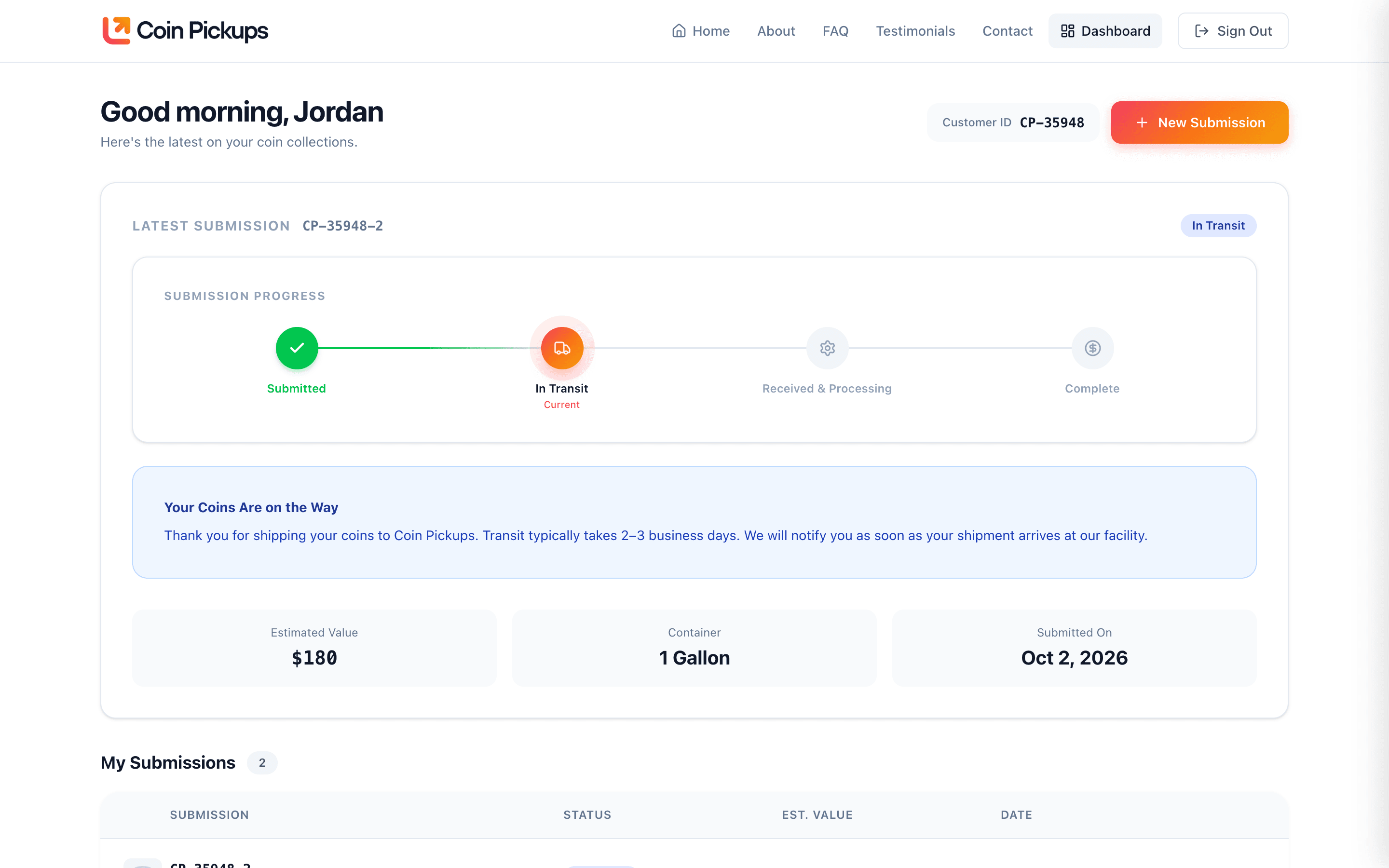
Coin Pickups customer dashboard

Coin evaluation service · Nationwide

Coin Pickups

People mail in their coins from anywhere in the country, and the business sorts, values, and pays for them. The app runs the whole process, from submission to payout.

  • A two-minute submission form with container size and an optional photo
  • Prepaid USPS shipping labels generated and emailed automatically
  • Package tracking that updates the customer as the box moves
  • A customer dashboard to review the itemized offer and accept it
  • An admin dashboard where staff work through every submission
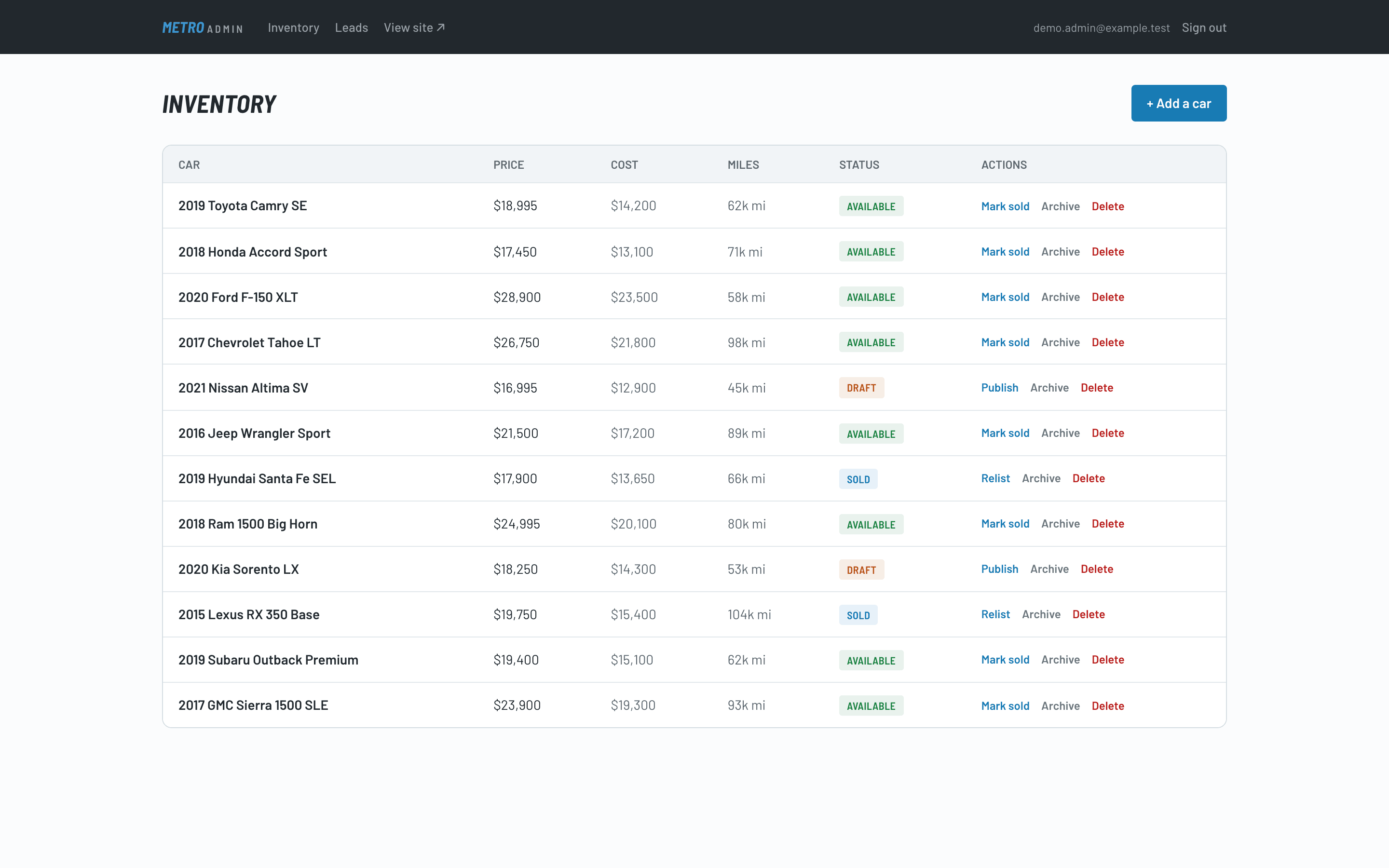
Metro Auto Direct admin screen

Used-car dealer · Denton, Texas

Metro Auto Direct

A dealer site with the inventory system behind it. Staff add a car once and it appears on the site, ready for buyers.

  • Add a car by uploading the bill of sale. The app reads it and fills in the details
  • Inventory with price, cost, mileage, and status (draft, available, sold) in one table
  • A leads inbox for every inquiry, with new leads flagged
  • "Find My Car" requests for buyers who want the dealer to source a vehicle at auction
  • Online payments through Square
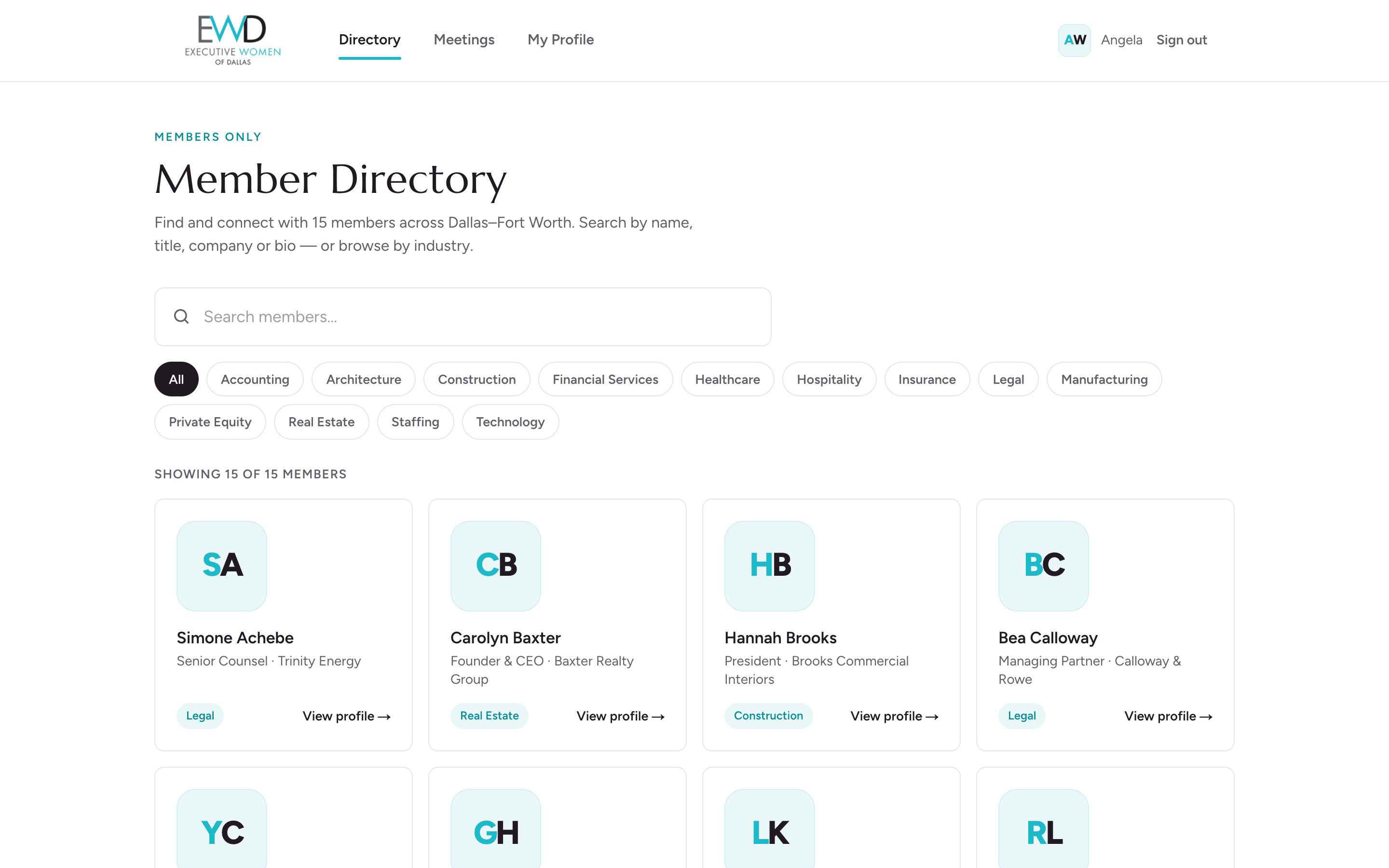
Executive Women of Dallas member directory

Member portal · Dallas

Executive Women of Dallas

A members-only directory and meeting archive that replaced an aging WordPress membership site. Every member came over intact.

  • Secure sign-in, with password resets handled by email
  • A searchable member directory and profile pages
  • Each member controls whether her email, phone, and address are shared
  • A meeting archive for members only
  • Admin tools to add and manage members
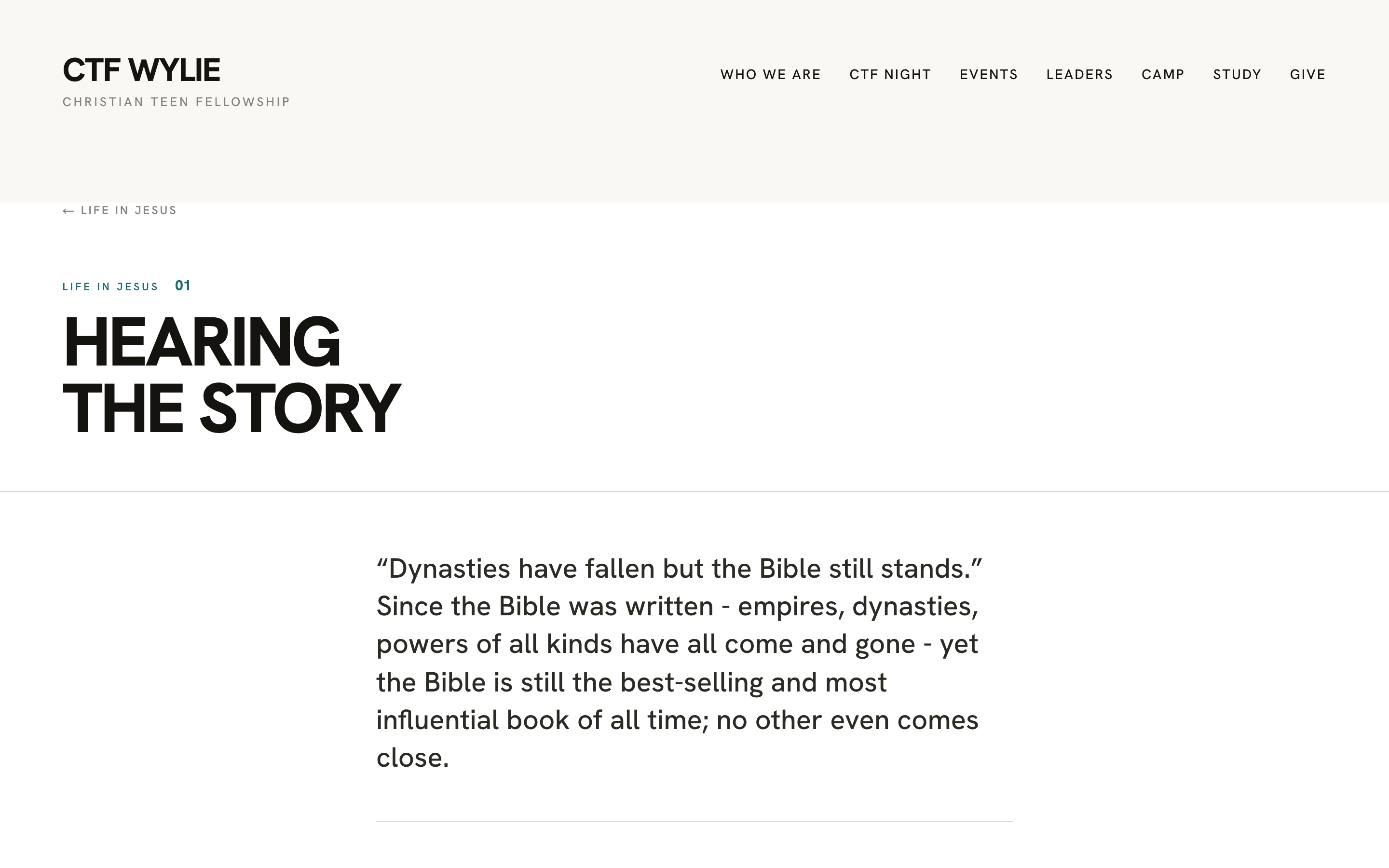
Christian Teen Fellowship study reader

Youth ministry · Wylie, Texas

Christian Teen Fellowship

Three tools in one: the ministry website, its discipleship study, and summer camp registration.

  • An eleven-page public site the ministry edits itself
  • A reader and editor for the ministry’s own discipleship booklet
  • A step-by-step camp registration form for families
  • Leader tools for rosters, medical and emergency reports, payments, and scholarships
  • Camp email sent from the same place

What every app gets

Built like our sites. Watched like our sites.

The right people see the right things

Staff, members, and customers each get their own view. Private information is protected by the database itself, not just hidden on the page.

Connected to what you already use

Card payments through Square, USPS shipping labels and tracking, email and text notifications. You don't have to copy anything from one system to another.

Monitored by Deyo Dash

Every app reports its health to Deyo Dash, and its forms are tested the same way as our sites. Deyo Dash is a web app too. We built it to run our own fleet.

Questions

Web apps for small businesses, answered.

What is a web app, and does a small business need one?

A web app is software your staff or customers use in a browser: they sign in, enter something, and the app does the work. If your team retypes the same information from a form into a spreadsheet and then into an email, or customers call to ask where their order stands, an app can usually take that job over.

How is a custom web app different from an off-the-shelf tool?

Off-the-shelf software makes you work its way. A custom app is built around how your business already runs: your forms, your steps, your paperwork. Coin Pickups' app runs their exact process, from a customer's submission through shipping labels, tracking, the offer and payout.

Can it connect to the tools we already use?

Yes. Our apps take card payments through Square, create USPS shipping labels and tracking, and send email and text notifications, so nobody copies information from one system to another.

Who can see our data?

Staff, members and customers each get their own view. Private information is protected by the database itself, not just hidden on the page, so a customer can only ever see their own records.

What happens after the app launches?

It is watched by Deyo Dash, the same as our websites: it reports its health every day, and its forms are tested to confirm they still deliver. If something breaks, we hear about it first.

Tell us what your team does by hand. We'll tell you if an app would help.